
ElectronEgg: v5 Upgrade — Easily Build HarmonyOS Apps
One codebase, packaged for Windows, Mac, and Linux — and now it runs directly on HarmonyOS. ElectronEgg v5 brings HarmonyOS support.
Introduction
Since it was open-sourced, ElectronEgg's vision has stayed simple: empower every developer to master desktop software development. It brings front-end and back-end engineering practices into desktop development, wrapping Electron's complexity behind a clean controller / service / preload layered architecture. The framework has now amassed 8000+ Stars across the web, validated by long-term use across many teams — you can use it with confidence.
Building on this, v5 delivers a major upgrade — and one of its headline capabilities is: effortlessly build HarmonyOS apps.
After repeated attempts, we finally got ElectronEgg running on HarmonyOS devices. It's still in the testing phase, but the entire workflow already works end to end — see the screenshots below.
HarmonyOS Support: One Codebase, Running on HarmonyOS
In the past, porting an Electron app to HarmonyOS essentially meant "rewriting it from scratch". v5 automatically extracts your build artifacts into the HarmonyOS HAP, where they are loaded by the HAP project's web engine. Your existing ElectronEgg business code runs as a HarmonyOS app with almost no changes.
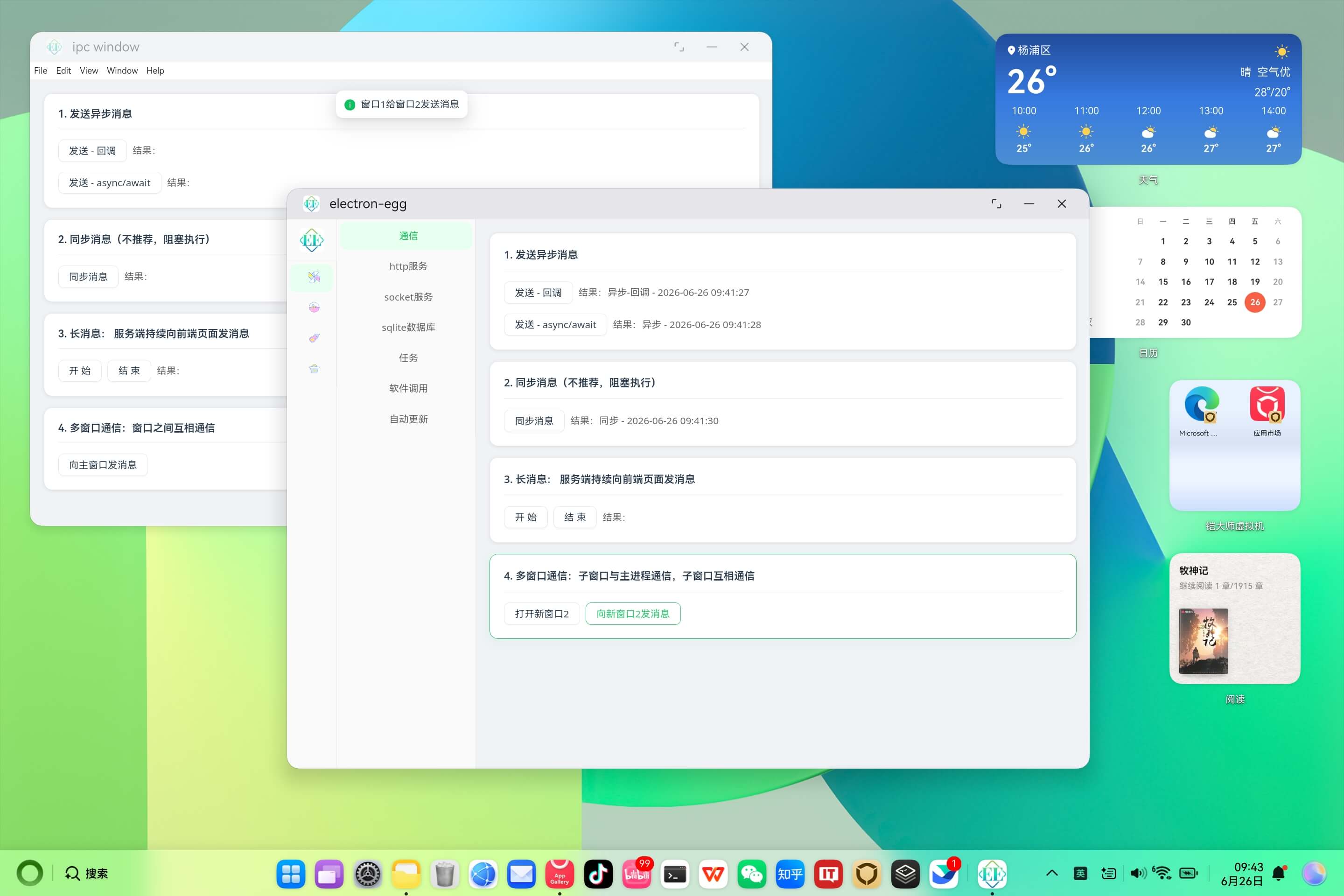
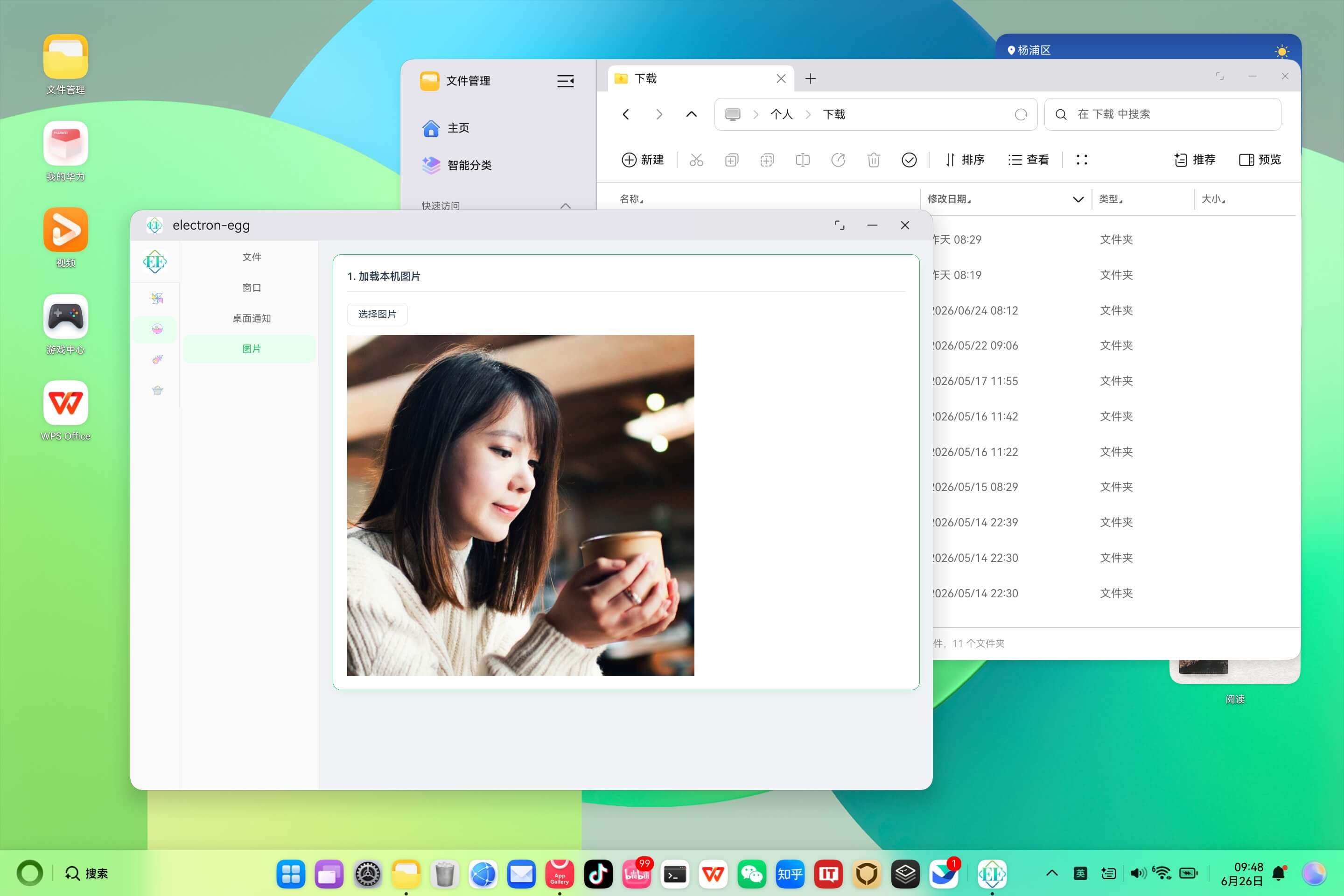
Below are real screenshots of the ElectronEgg demo app running on HarmonyOS:
App installed on the HarmonyOS system

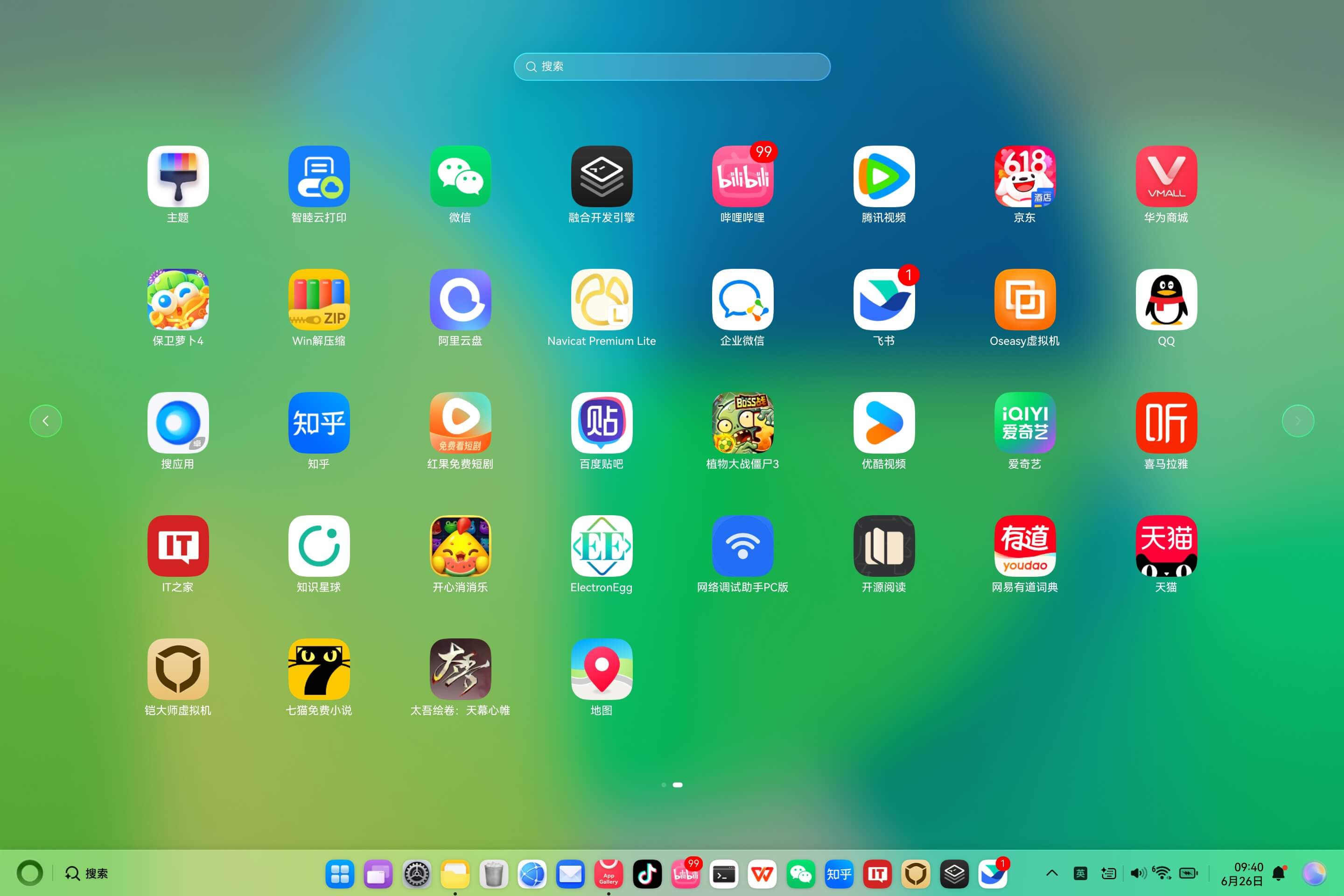
App launching
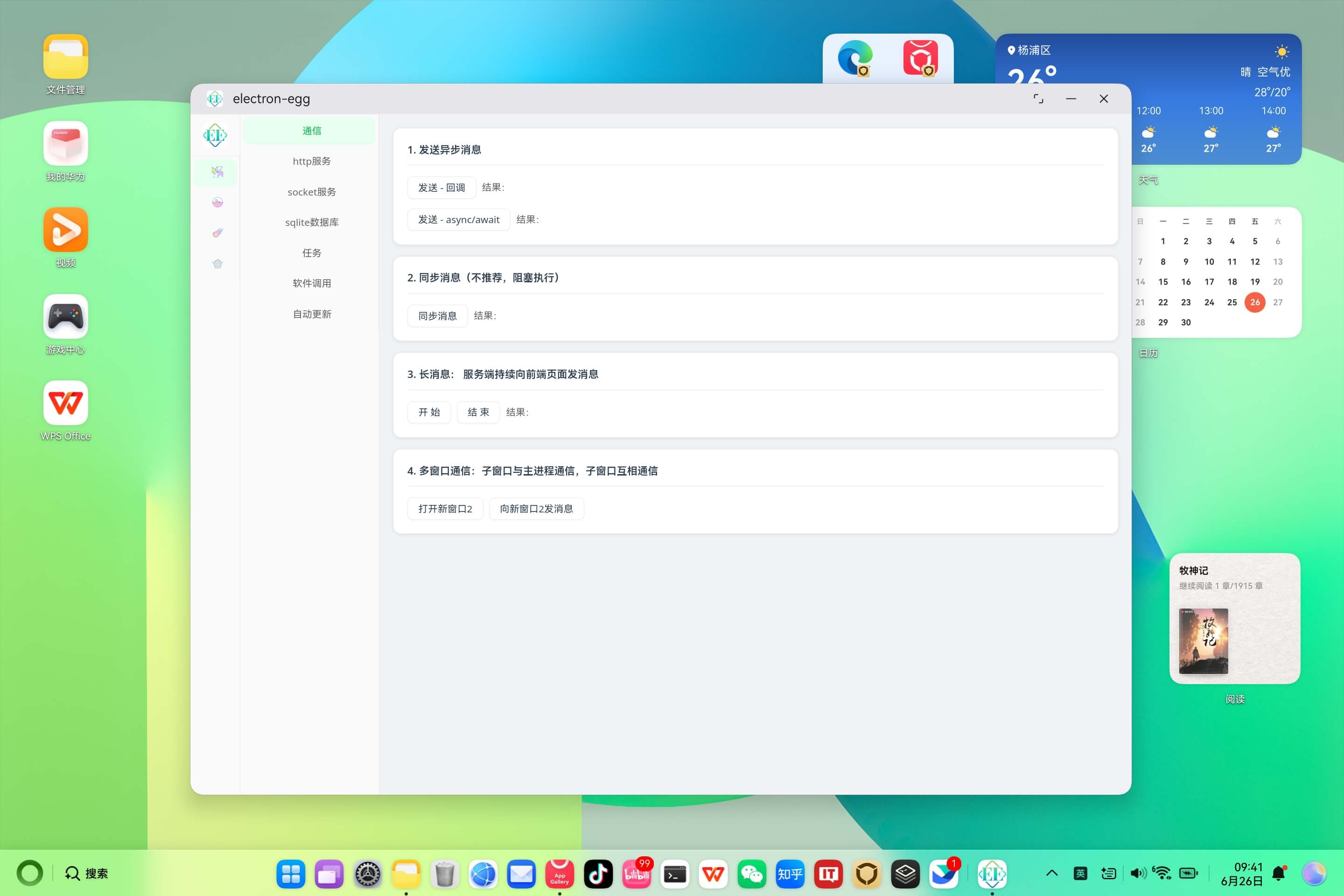
Framework feature demo: communication, controllers, services and other capabilities work normally on HarmonyOS
Local image loading demo
Dock bar demo

Web page loading demo
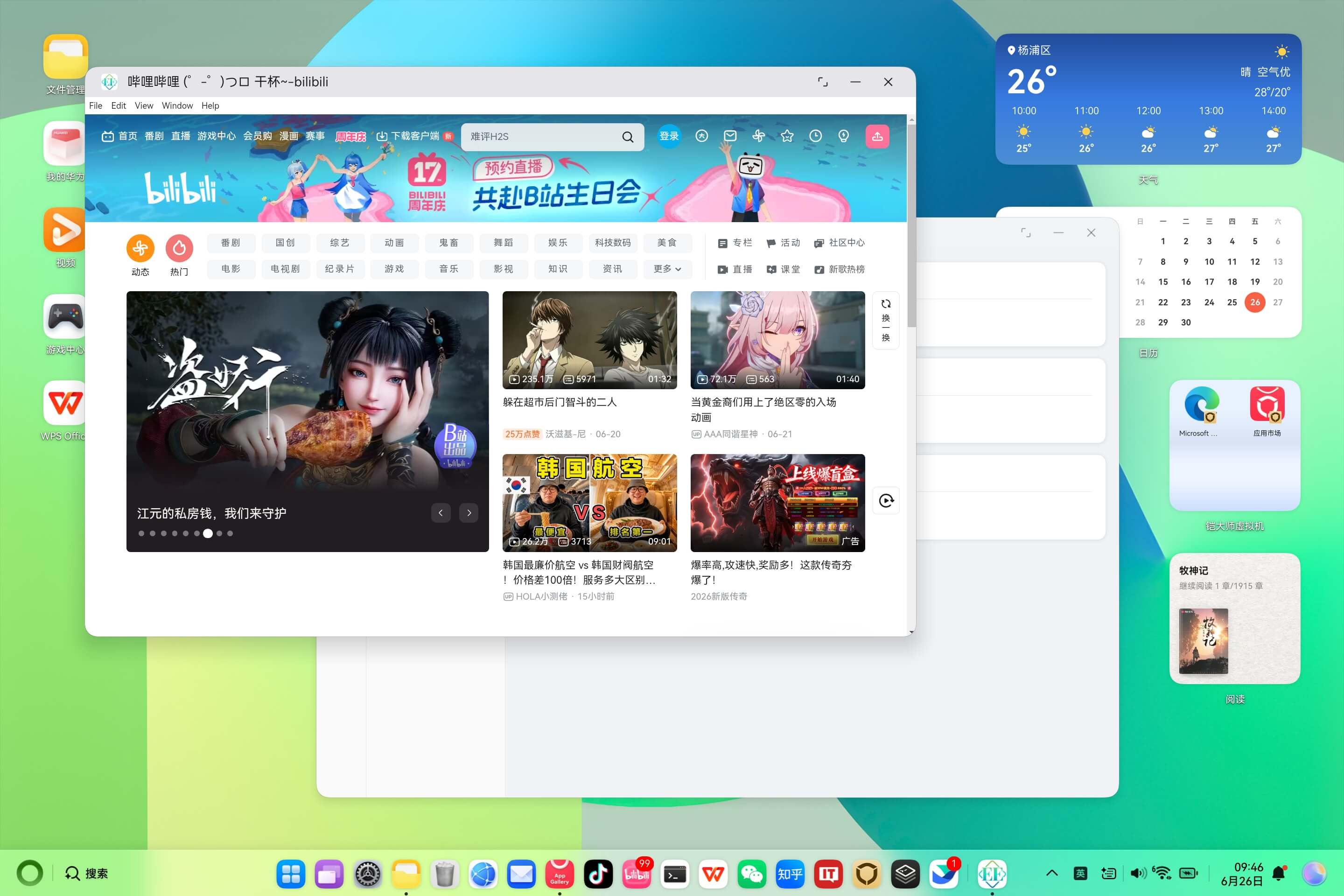
As you can see, a desktop app originally built for Windows / Mac runs smoothly on HarmonyOS — from installation to every feature. That's the core message of v5's HarmonyOS support: cross-platform is no longer a slogan; HarmonyOS is a first-class citizen.
What Else Is New in v5
Beyond HarmonyOS support, v5 also gives the framework core a fairly thorough refactor:
- Full TypeScript refactor: every API now has complete type definitions.
- Dual module output: supports both CJS and ESM formats.
- Pino logging: a more powerful logging system.
- Bundle registry: faster startup.
- Main-process bundling: main-process code can be bundled just like front-end code.
- Build config overhaul: many fine-grained control options added.
- Encryption upgrade: more secure.
- ee-bin overhaul: now ships a complete TypeScript type system.
Who Is It For
- Developers who want to build desktop software with a front-end stack (Vue / React / HTML)
- Teams that need to ship internal tools, admin consoles, or office software as desktop apps
- Products that must cover Windows, Mac, Linux, and HarmonyOS
- Teams looking to lower Electron's learning curve and want a clear architecture
Whether you're a front-end, back-end, ops, or client developer, you can get started quickly.
Wrapping Up
Desktop software — office tools, personal utilities — will remain a real, lasting need on the PC for the next decade. ElectronEgg exists to make building it simple, and now that simplicity extends to HarmonyOS.
The framework is already widely used in clients for accounting, government, enterprise, healthcare, education, stock trading, ERP, entertainment, video and more — feel free to use it with confidence.
Open Source & Community
If it helps you, a Star is appreciated — and come join the community to chat.