
Icon Instructions
Desktop and installation icons: modify the images inside (do not change the image file names).
Note: The developer's PC environment may have icon caches, so the icons may not update after packaging and installation. You can send it to others for testing, or search online for methods to clear the icon cache.
# Names and sizes must match
./build/icons/16x16.png
./build/icons/32x32.png
./build/icons/64x64.png
./build/icons/128x128.png
./build/icons/256x256.png
./build/icons/512x512.png
./build/icons/icon.icns (macOS)
./build/icons/icon.ico
./build/icons/icon.png
Image details. For macOS icon (icon.icns), it is recommended to use a transparent background (512px), then place the logo on it, adjusting the logo to 415px to generate a new image.
# File path
electron-egg\build\icons

# Description
# Image 1: 256x256.png
# Resolution: 256 x 256
# Width: 256 pixels
# Height: 256 pixels
# Bit depth: 32

# Image 2: 512x512.png
# Resolution: 512 x 512
# Width: 512 pixels
# Height: 512 pixels
# Bit depth: 32

# Image 3: icon.ico
# Resolution: 256 x 256
# Width: 256 pixels
# Height: 256 pixels
# Bit depth: 32

# macOS
# Image 4: icon.icns
# Resolution: 512 x 512
# Width: 512 pixels
# Height: 512 pixels
# Bit depth: 32
Tray Icon
Recommended 32x32 or 16x16
# File path
electron-egg\public\images\tray.png

# Image requirements
Resolution: 16 x 16
Width: 16 pixels
Height: 16 pixels
Bit depth: 32
Top-left corner icon of the software window
// File path
electron-egg\public\images\logo-32.png

// Image requirements
Resolution: 32 x 32
Width: 32 pixels
Height: 32 pixels
Bit depth: 32

// Code location
electron-egg\electron\config\config.default.js(ts)

// config
windowsOption = {
    icon: path.join(getBaseDir(), 'public', 'images', 'logo-32.png'),
};
Icon Tools
One-click Command Generation
Note
If dependency installation fails, please use the second method below.
The framework provides: one-click generation of multiple size images from the original image, and copies them to the specified directory. Thanks to @CcSimple
# Install ee-bin
npm install ee-bin

# Install dependency
npm install icon-gen -D

# Command
ee-bin icon
// ee-bin icon -i /public/images/logo.png -o /build/icons/
Parameters
- -i/-input: Path of the image to process (default: /public/images/logo.png)
- -o/-output: Output path (default: /build/icons/)
- -s/-size: Resource sizes to generate (default: 16,32,64,256,512)
- -c: Clear .ico .png files in the output path before processing
- -img/-images: Output path for Win window icons/tray images (default: /public/images/)
Among the -s sizes, 16 is processed into tray.png, and 32 is processed into logo-32.png
Third-party Software
Download link
Link: https://pan.baidu.com/s/134hLHBSLP2YBpHaBopaeaQ?pwd=p3nq
Access code: p3nq
Format note:
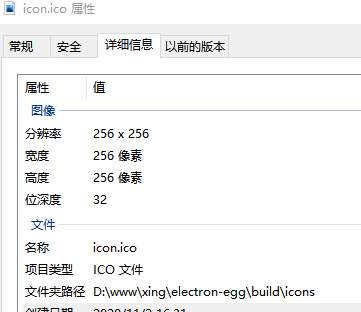
Note: The image size of icon.ico should preferably be less than 40kb. Too large may cause display issues. (You can compress the PNG image multiple times beforehand.)